


Floor Plan Creator Home Design
4.079.00 Reviews
App Specs
- Version
- 2.1.1
- Updated On
- License
- Free
- Downloads
- 5,000,000+
- Developer
- Firehawk
- Categories
- House & Home
- Platform
- Android
Screenshots
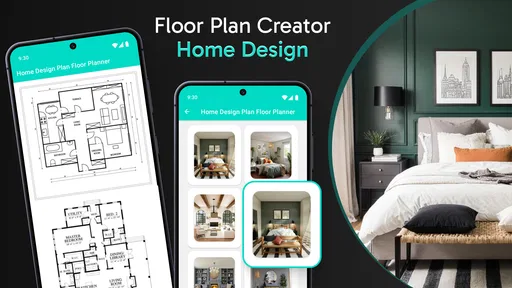
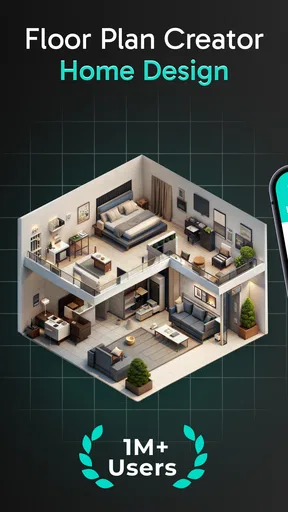
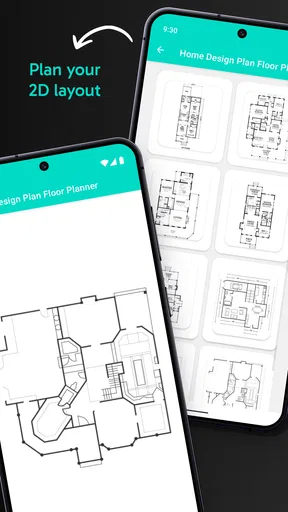
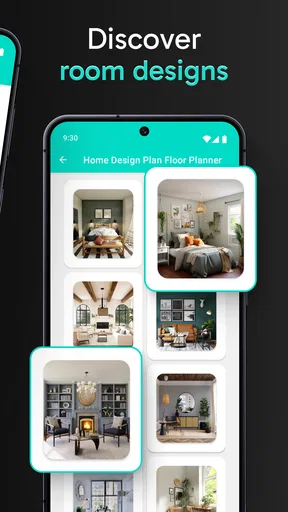
 Analysis by AppCompare
Have you ever found yourself gazing at your living room, imagining what it could look like with a new layout? Well, let me introduce you to the Floor Plan Creator Home Design app. This nifty tool allows you to bring your interior design dreams to life, right from your smartphone or tablet. Let’s dive into the details and see what makes this app tick.
Getting Started with Floor Plan Creator
The first thing you notice about Floor Plan Creator Home Design is its user-friendly interface. Whether you’re a seasoned architect or just someone who loves rearranging furniture, this app caters to everyone. The setup is straightforward – download, install, and you're ready to roll.
Once you open the app, you’re greeted with a clean layout, making it easy to navigate through. The main menu offers a variety of options, from starting a new project to accessing tutorials. If you’re a newbie like me, those tutorials are a lifesaver. They break down complex tasks into simple steps, which is awesome for getting up to speed quickly.
Features That Make It Stand Out
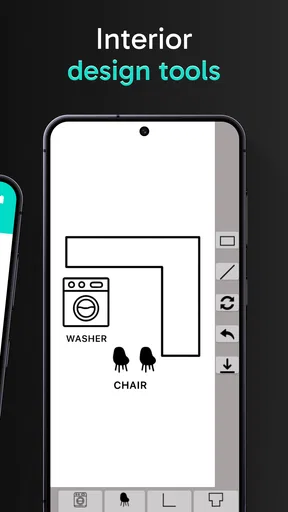
One of the coolest features is the drag-and-drop functionality. You can effortlessly place walls, doors, and windows, and adjust their dimensions with just a swipe. It’s almost like playing a game, but with real-world implications. The app supports multi-level projects, which is perfect if you're designing a multi-story house.
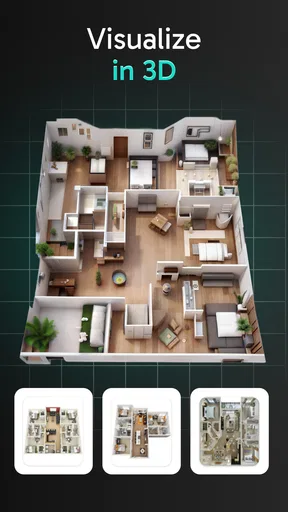
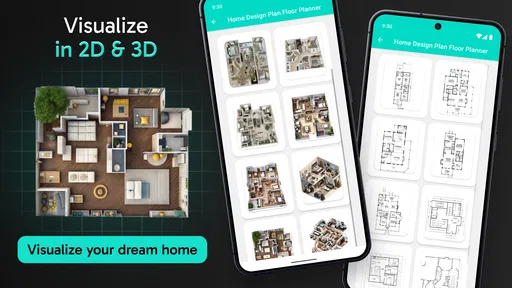
The 3D visualization is another highlight. It’s one thing to see your plan on paper, but watching it come to life in 3D is a whole different ballgame. You can virtually walk through your design, giving you a tangible sense of space and layout. This feature helps you spot potential design flaws or improvements you might not notice in 2D.
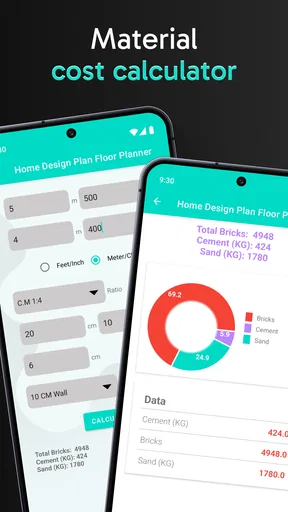
For those of you who love details, the app doesn’t disappoint. You can customize everything from wall thickness to floor materials. There's a robust library of objects and textures to choose from, helping you to match your vision precisely.
Designing and Sharing Made Easy
What I love about this app is its collaboration feature. You can easily share your designs with friends, family, or even a professional designer for feedback. Just export your project in various formats like PDF, DXF, or SVG. This flexibility makes it a breeze to get a second opinion or further refine your plans.
Worth Reading Before You Choose

Flipboard Shows What News Apps Must Do Beyond the Feed

Switching to Android Auto Means Rethinking Your Driving Routine

Google Calendar Makes a Crowded Week Easier to Manage

Ludo King Makes the Most of the Minutes Between Plans

Baby Panda World Brings Quick Play to Modern Phones, but Its Game Library Feels Busy

ESPN’s Live Game View Makes Following Close Games Easier
Moreover, the app supports cloud synchronization. This means you can access your projects from any device, anywhere, anytime. Lost your phone? No worries, your designs are safe and sound in the cloud.
Room for Improvement
While the app is fantastic, it’s not without its quirks. For one, the free version is somewhat limited, pushing you towards the premium features. But honestly, the premium version is worth it if you're serious about home design. Also, while the tutorials are great, I found myself wishing for a more extensive FAQ section for troubleshooting specific issues.
Final Thoughts
All in all, Floor Plan Creator Home Design is a gem for anyone looking to dabble in home design, whether you're planning a major renovation or just dreaming of what could be. Its intuitive design and powerful features make it accessible for amateurs and professionals alike. While it has a few limitations, the pros definitely outweigh the cons.
So, if you’re ready to turn your home design dreams into reality, give this app a whirl. You might just find yourself spending hours crafting the perfect floor plan, lost in a world of design possibilities. Happy designing!
Pros
- User-friendly interface
- easy to navigate.
- Offers 3D visualization of floor plans.
- Wide range of furniture and decor options.
- Supports metric and imperial units.
- Cloud storage for easy access and sharing.
Cons
- Limited free version features.
- Some tools can be tricky to master.
- Occasional app crashes on older devices.
- In-app purchases can add up quickly.
- Requires internet for cloud sync.
FAQs for Floor Plan Creator Home Design
What is Floor Plan Creator Home Design?
Floor Plan Creator Home Design is a mobile application that allows users to design and create detailed floor plans. It's ideal for architects, interior designers, and homeowners who want to visualize their spaces. The app provides tools for drawing rooms, adding furniture, and sharing designs, making it a versatile choice for planning and remodeling projects.
Is Floor Plan Creator Home Design easy to use for beginners?
Yes, Floor Plan Creator Home Design is designed with user-friendliness in mind, making it accessible for beginners. The app features an intuitive interface with drag-and-drop functionality. Additionally, it offers tutorials and guides to help new users understand its tools and features, ensuring a smooth learning curve.
Can I use Floor Plan Creator Home Design offline?
Floor Plan Creator Home Design supports offline use, allowing users to create and edit floor plans without an internet connection. However, some features, like cloud storage or sharing options, may require an internet connection. This makes it convenient for users to work on projects anytime, anywhere.
Are there any in-app purchases in Floor Plan Creator Home Design?
Yes, while Floor Plan Creator Home Design offers a free version, there are in-app purchases available. These purchases can unlock additional features like advanced editing tools, more design options, and the removal of ads. Users can choose to upgrade based on their needs and preferences.
What formats can I export my designs in from Floor Plan Creator Home Design?
Floor Plan Creator Home Design allows you to export your designs in various formats, including PDF, PNG, and DXF. This flexibility ensures that you can share your plans with others or use them in other applications. The app's export options make it easy to present your designs professionally.


